Download ft66 App for Android
Install our APK on your phone and play casino games, place cricket bets, and manage deposits directly from your home screen. Version 3.2.8 works on Android 8.0 and above.
Download & App Details
| Version | 3.2.8 |
|---|---|
| File Size | 41 MB |
| Android Requirement | 8.0 or higher |
| Last Updated | November 3, 2026 |
| Price | Free |
| Language | English / Bangla |
| Developer | ft66 |
The ft66 app gives you the full experience of our casino, sports betting, and account management in a compact APK file. You won't find this on Google Play because Play Store does not allow real-money betting apps in most regions. Download directly from our site to ensure you get the authentic, regularly updated version.
What You Get with ft66 App
Our Android app brings everything you need into one place. You can switch between casino games, place live cricket bets during BPL matches, and check your balance without opening a browser. Here's what makes the app stand out for Bangladesh players.
Faster Load Times
The app stores game assets locally, so slots and live dealer tables load in seconds instead of waiting for your browser to fetch everything. On a slow connection, this makes a noticeable difference when you want to join a hand quickly.
Push Notifications
Enable notifications to get alerts when your favorite team's match is about to start, when a bonus expires, or when your withdrawal is processed. You can turn these off anytime in your phone's settings if you prefer silence.
Biometric Login
Use your fingerprint or face unlock to access your account instead of typing a password every time. This keeps your login secure while making it faster to open the app and start playing. Your biometric data never leaves your device.
Instant Deposit via bKash
The app integrates directly with bKash and Nagad, letting you fund your account in one tap without switching between apps or copying merchant codes. Deposits appear in your balance within an average of 6 minutes, so you can start betting right away.
Live Betting Interface
The app's sports section refreshes odds in real time during cricket and football matches. You can place bets on the next over, see updated scores, and track multiple matches at once without reloading the page like you would in a browser.
Offline Game Previews
Browse our game library even when your connection drops. The app caches game thumbnails and RTP info so you can plan what to play next. When you regain internet access, tap a game and it loads immediately without additional waiting.
Casino Games Available in the App
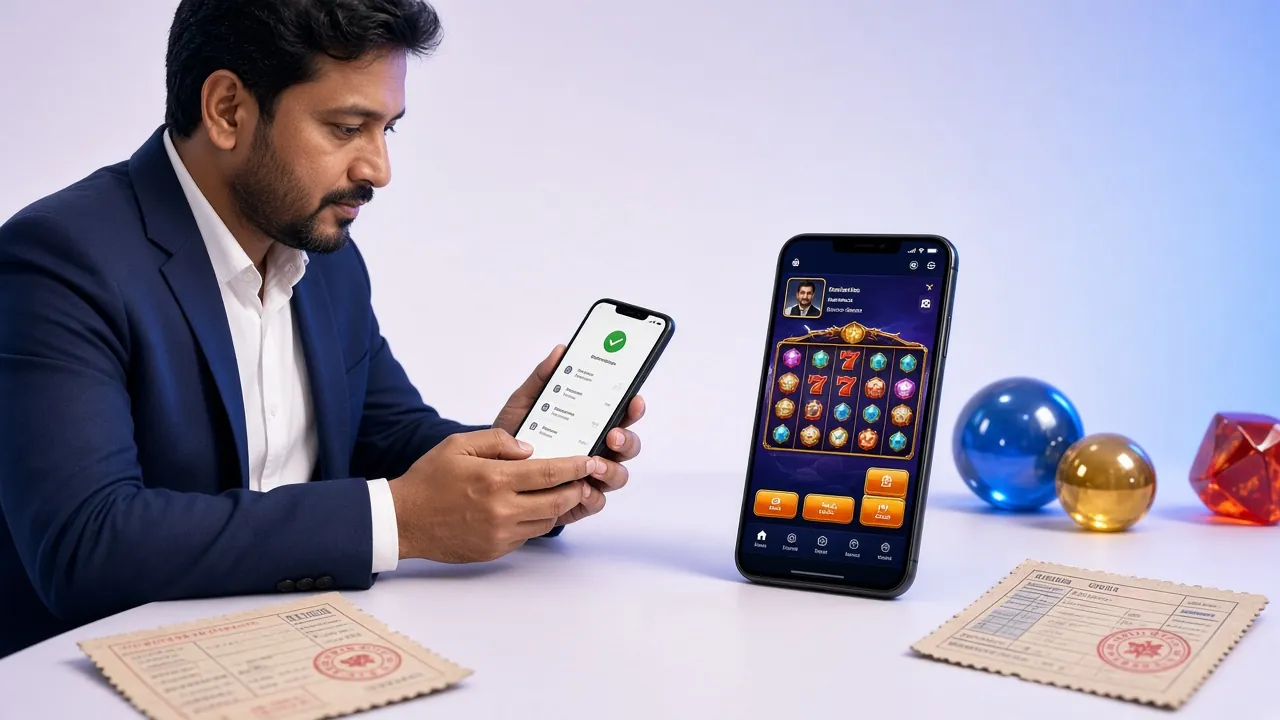
The ft66 app includes our full game lobby with over 4,300 titles. You can play slots from Evolution, JDB, and CQ9, join live dealer tables streamed from real studios, or try crash games and fishing games. Everything runs on your phone screen with the same RTP percentages you'd get on desktop.


Security & Permissions
When you install the ft66 APK, Android will ask for certain permissions. We only request what the app needs to function. Here's what each permission does and why it matters.
-
Internet Access
Required to connect to our servers for game data, live odds, deposits, and withdrawals. Without this, the app can't fetch your account balance or load any content beyond cached game previews.
-
Storage Access
Lets the app save your login session and download game assets so they load faster next time. This permission also allows you to save screenshots of big wins or bet slips to your gallery if you want proof of a result.
-
Notifications
Optional permission for push alerts about bonuses, match start times, and withdrawal confirmations. You can deny this during installation and still use every other feature. Enable it later in Android settings if you change your mind.
-
Camera & Biometrics
Camera access is used only during KYC verification when you upload your National ID Card photo. Biometric permission lets you use fingerprint or face unlock instead of a password. Both are optional and handled locally on your device for security.
The ft66 APK is scanned regularly and does not contain malware or tracking scripts beyond what we disclose in our Privacy Policy. If your antivirus flags the file, it's likely a false positive because the app is not distributed through Google Play. Add an exception or download again from our official site.
Installation Steps for Android
Follow these steps to install the ft66 app on your Android phone. The process takes about three minutes. You'll need to enable installation from unknown sources first, which is a standard Android security setting for apps downloaded outside the Play Store.
-
1
Allow Installation from Unknown Sources
Before you download the APK, open your phone's Settings app. Navigate to Security or Privacy depending on your Android version. Look for an option called Install unknown apps or Unknown sources. Tap it, then select your browser (Chrome, Firefox, or whichever you use) and toggle the switch to allow installations. This lets Android accept the ft66 APK when you download it. You only need to do this once.
-
2
Download the APK File
Tap the Download APK button on this page. Your browser will save the file to your Downloads folder. The file is named ft66.apk and is 41 MB in size. Wait for the download to complete. You'll see a notification in your status bar when it's done. Do not download the APK from any other website, as those may be fake or outdated versions.
-
3
Open and Install the APK
Tap the download notification or open your Files app and go to Downloads. Tap ft66.apk. Android will show a prompt asking if you want to install this app. Tap Install. The installation takes about 10 seconds. When it finishes, tap Open to launch the app immediately, or find the ft66 icon on your home screen or app drawer later.
-
4
Log In or Register
Open the app and you'll see the ft66 login screen. If you already have an account, enter your mobile number or email and password, then tap Log In. If you're new, tap Register to create an account. Fill in your phone number, choose a password, and confirm your details. You'll receive an SMS code to verify your number. Enter the code and you're ready to deposit and play.
-
5
Make Your First Deposit
After logging in, tap the Deposit button in the app. Select bKash, Nagad, or another payment method from the list. Enter the amount you want to deposit (minimum ৳350). Follow the on-screen instructions to complete the payment through your mobile banking app. Your balance updates within 6 minutes on average, and you can start playing casino games or betting on cricket matches right away.
For iOS Users: Add ft66 to Your Home Screen
We don't have a dedicated iOS app yet, but you can add our mobile site to your home screen for quick access. Open ft66.ws in Safari, tap the Share button at the bottom, then select Add to Home Screen. This creates an icon that opens ft66 in a browser window without the Safari toolbar, giving you a similar feel to a native app. You'll still get all features including deposits, withdrawals, and live betting.
App vs Browser: Which Should You Use?
Both the ft66 app and our mobile website offer the same games, odds, and account features. The main differences are speed, convenience, and notifications. Here's a side-by-side comparison to help you decide if downloading the APK is worth it for your usage pattern.
| Feature | ft66 App | Mobile Browser |
|---|---|---|
| Load Speed | Faster due to cached assets | Standard web loading |
| Push Notifications | Available | Not available |
| Biometric Login | Fingerprint / Face | Password only |
| Offline Game Browsing | Cached previews | Requires connection |
| One-Tap Deposits | Integrated bKash flow | Redirects to external app |
| Live Score Updates | Real-time refresh | Real-time refresh |
| Storage Required | 41 MB app + cache | Browser cache only |
| Updates | Manual APK download | Automatic (web) |
| Game Selection | Full 4,300+ lobby | Full 4,300+ lobby |
| Withdrawal Processing | Same speed (29 min avg) | Same speed (29 min avg) |
If you play daily or want instant access to live betting, the app saves time. If you only log in occasionally or prefer not to install another app, the mobile site works perfectly fine. You won't miss out on any games or features by sticking with the browser version.
Installation Issues & Fixes
Most installations go smoothly, but if you run into an error message or the app won't open, these common issues and solutions should help. Each problem has a specific cause and a quick fix.
| Problem | Cause | Solution |
|---|---|---|
| "App not installed" | Unknown sources setting still disabled, or corrupted download | Go to Settings → Security → Install unknown apps and enable your browser. If that doesn't work, delete the APK and download it again. |
| App crashes on launch | Android version too old (below 8.0), or insufficient storage space | Check your Android version in Settings → About Phone. If it's below 8.0, you'll need to use the mobile site instead. Free up at least 200 MB of storage by deleting unused apps or photos. |
| "Parse error" | APK file incomplete or downloaded from wrong source | Make sure you downloaded from ft66.ws, not a mirror site. Delete the file and download again using a stable Wi-Fi connection to avoid corruption. |
| Games won't load | No internet connection, or DNS issue blocking our servers | Check your mobile data or Wi-Fi connection. Try switching between them. If you're on a corporate or school network, it may block casino sites. Use mobile data instead. |
| Can't log in after update | Session expired, or you're using an old cached password | Clear the app's cache in Settings → Apps → ft66 → Storage → Clear Cache. Then log in again with your current password. If you forgot it, use the "Reset Password" link on the login screen. |
If none of these solutions work, contact our support team through the live chat icon in the app or visit our FAQ page. Include your phone model and Android version so we can troubleshoot faster.
Get the ft66 App on Your Android Phone
Version 3.2.8 · 41 MB · Android 8.0+ · Free to download. No Google Play needed — install the APK directly in under a minute.
-
Faster than the browser Game assets load locally, so live tables open in seconds even on a slow connection.
-
Match & bonus alerts Push notifications for BPL and IPL kick-offs, bonus deadlines, and withdrawal updates.
-
Biometric login Use your fingerprint or face unlock — no password typing on every session.
-
bKash & Nagad built in Deposit in about 6 minutes and withdraw in about 29 minutes without leaving the app.
Scan to download on your phone
Frequently Asked Questions
Is the ft66 APK safe to download?
Yes. We scan every APK release for malware before uploading it to our server. The file is digitally signed to prevent tampering. Your phone may show a warning because the app isn't from Google Play, but this is standard for any APK downloaded outside the Play Store. Google doesn't allow real-money betting apps in most countries, so direct APK distribution is the industry norm. Download only from ft66.ws to ensure you get the authentic file.
Why isn't ft66 available on Google Play Store?
Google's Play Store policies prohibit apps that facilitate real-money gambling in most regions, including Bangladesh. Even licensed betting companies distribute their apps as APKs instead. This isn't unique to ft66—you won't find any legitimate cricket betting or casino app on Play Store either. Downloading the APK directly from our site is safe and gives you the same features you'd expect from a Play Store app.
How do I update the app when a new version is released?
We'll notify you inside the app when an update is available. You'll see a banner at the top with a "Download Update" button. Tap it to download the latest APK. Android will prompt you to install the update over your existing installation, which keeps your login session and settings intact. You can also check this page anytime to download the newest version manually if you miss the in-app notification.
Can I use the app on multiple devices with the same account?
Yes. Install the ft66 app on as many Android phones or tablets as you want. Log in with your same credentials on each device. Your balance, bet history, and bonuses sync across all devices because they're stored on our servers, not locally. If you place a bet on your phone, you'll see it in your history when you open the app on your tablet. You can be logged in on multiple devices at once without issues.
Does the app use more data than the mobile website?
The app uses slightly less data during regular use because it caches game thumbnails and interface elements after the first load. When you browse the game lobby or check live scores, the app pulls only updated information instead of reloading entire pages like a browser would. The initial APK download is 41 MB, but after that, daily usage is lighter on data compared to browsing ft66.ws repeatedly.
What happens if I uninstall the app?
Uninstalling the ft66 app removes it from your phone but does not delete your account or affect your balance. Your funds, bet history, and VIP status remain on our servers. If you reinstall the app later, just log in with your original credentials and everything will be there. The only thing you'll lose is your locally saved login session, so you'll need to enter your password again.
Can I deposit and withdraw using the app?
Yes. The app includes full deposit and withdrawal functionality. Tap the Deposit button to fund your account via bKash, Nagad, Rocket, or bank transfer. Minimum deposit is ৳350, and funds arrive within 6 minutes on average. For withdrawals, tap Withdraw, enter the amount (minimum ৳400), and choose your payout method. Withdrawals process in about 29 minutes. You'll need to complete KYC verification before your first withdrawal, which you can do directly in the app by uploading your National ID Card photo.
Install ft66 App and Start Playing
Download the APK now to get faster load times, biometric login, and push notifications for live match alerts. Takes three minutes to install and works on any Android phone running version 8.0 or higher.